Build, debug and profile iOS, Android and Windows games from one Windows PC.
Your game development. One continuous workflow.
Ycode is a native Windows IDE for game developers. Open an Unreal, Unity or native project, build it locally or across an IrisBuild fleet, deploy to a real iPhone, Android device or Windows target, then debug with LLDB and inspect GPU frames without leaving the workspace. AI agents, live device screens and multilingual editing stay in the same window.
- Native Windows IDE, no Electron
- iOS, Android & Windows debugging
- Powered by IrisBuild
A shorter path to your next iteration.
Open your project
Bring your code and toolchains into Ycode, then choose a build target.
Build and run
Compile locally or with IrisBuild, and deploy to connected hardware.
Inspect and iterate
Use breakpoints, device logs and GPU captures to guide the next change.
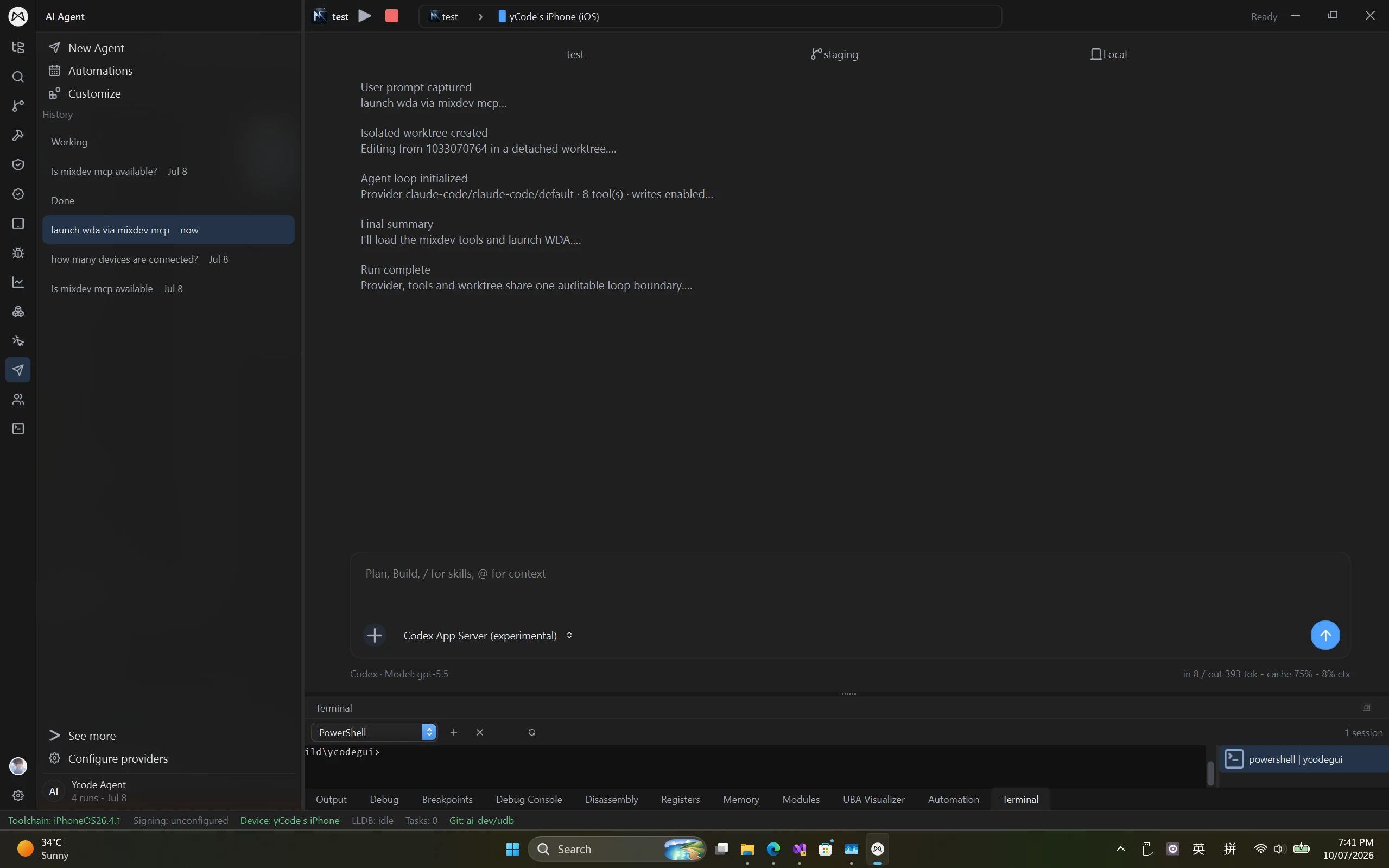
Edit code, run AI agents and manage worktrees in one native Windows workspace.
Keep editing and AI-assisted work close to the systems that build and run your project. Ycode brings agents, terminals and isolated worktrees into a native interface. LSP highlighting and completion cover Rust, C#, Java, Kotlin, Python, MetalSL, Unreal Shader and Unity ShaderLab.
- Provider-backed AI agents and reusable automations
- Visible worktrees, terminal output and run summaries
- A native GUI without an Electron runtime
Agentic Debugging Native Application
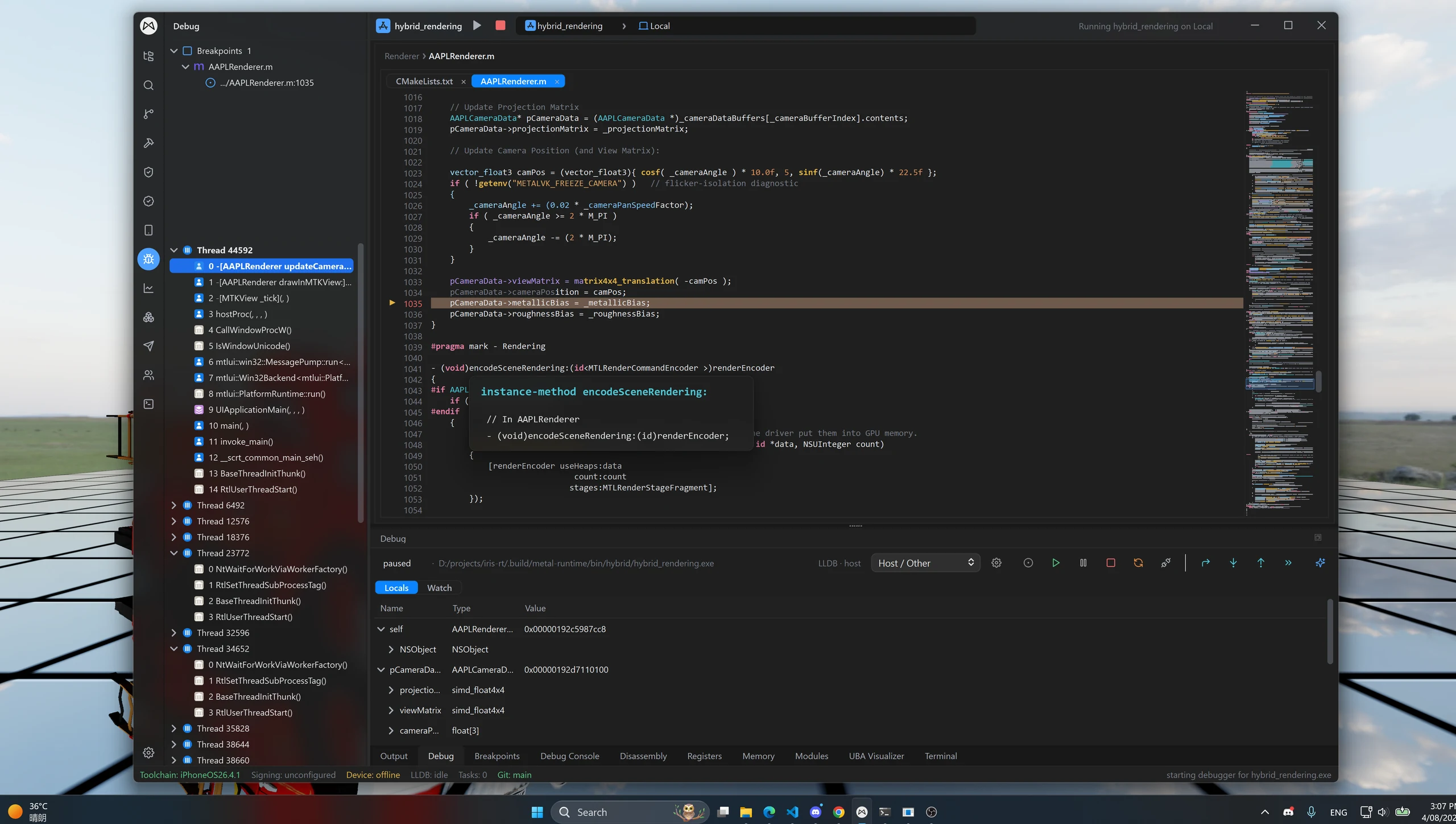
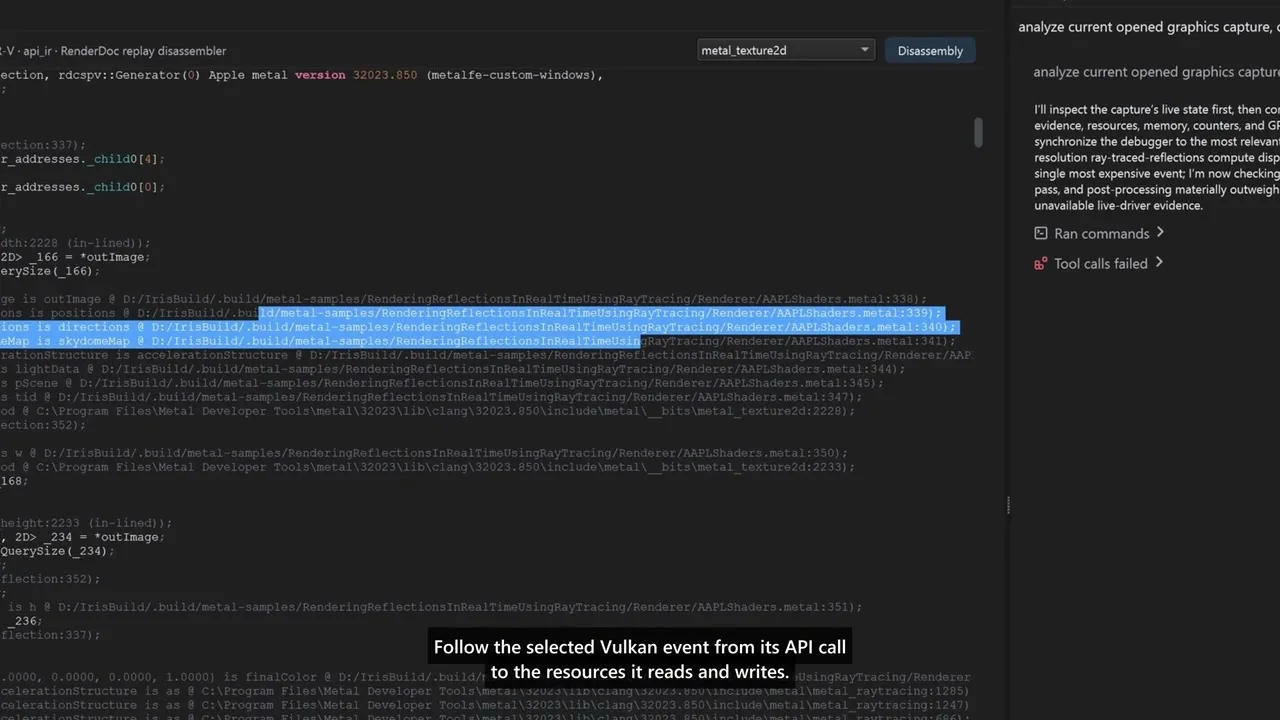
Debug iOS, Android and Windows apps simultaneously in the same Windows workspace. Inspect source, threads and runtime state, with live mobile screens and device logs available alongside your debugging tools.
- Simultaneous cross-platform debugging with threads, locals and watches
- Live iOS and Android screen streaming and input
- Metal and Vulkan frame inspection with AI analysis
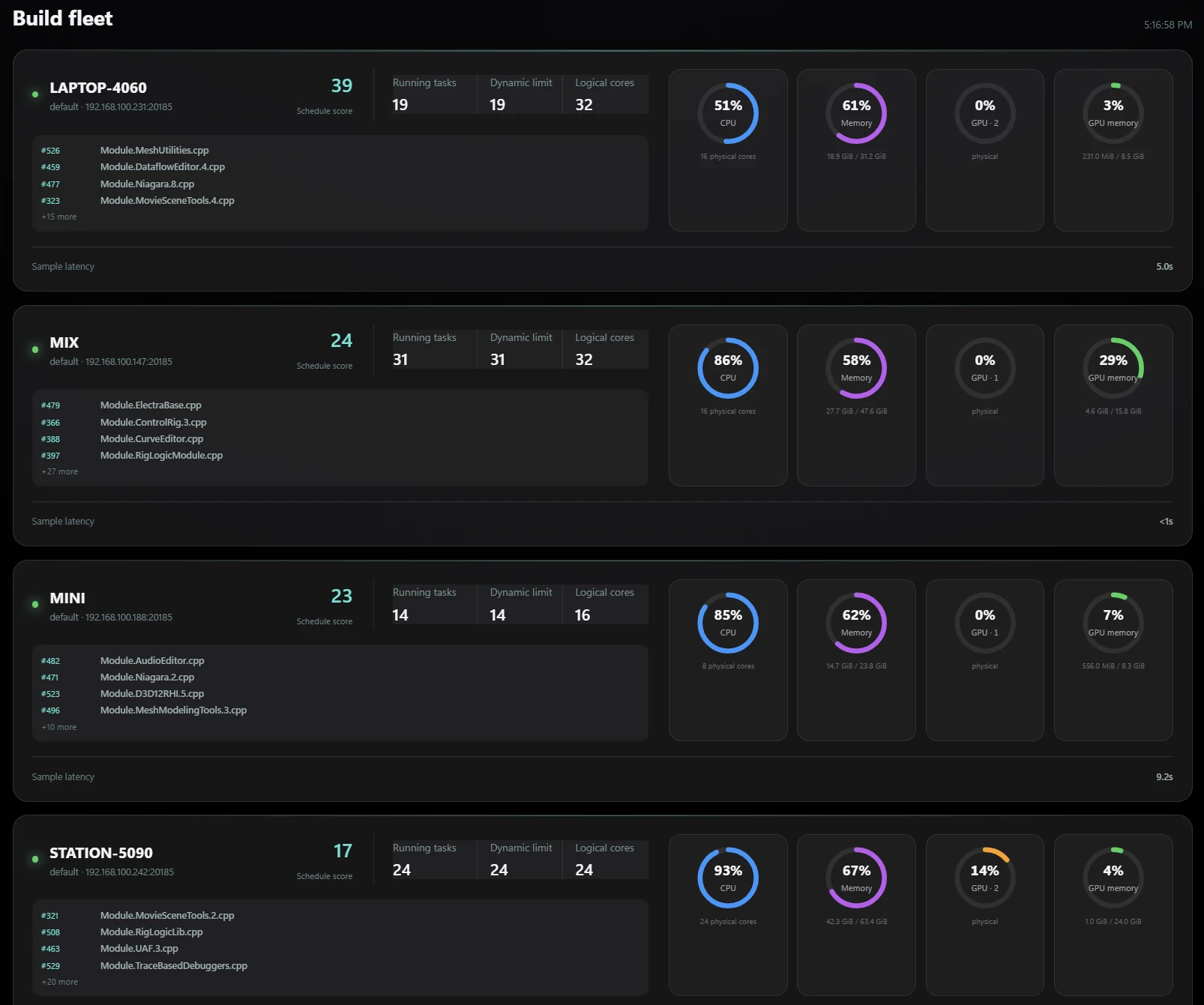
Distribute compilation across your machines with IrisBuild and watch the fleet work.
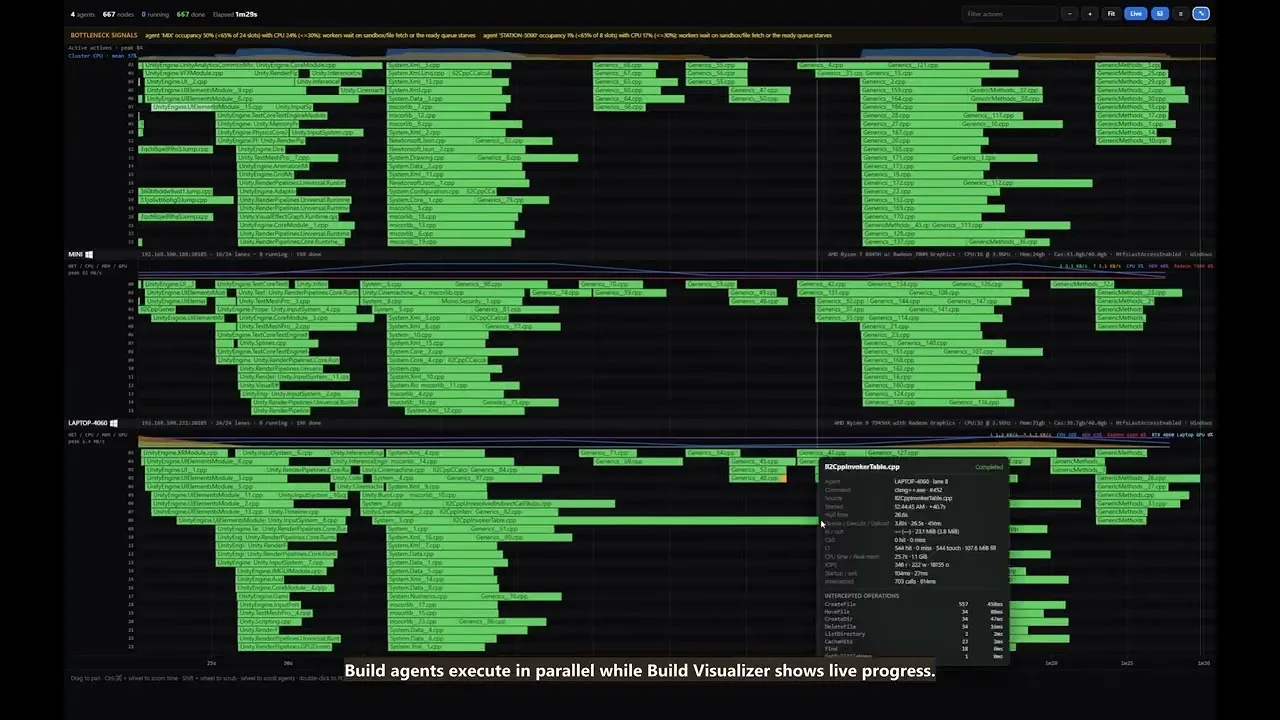
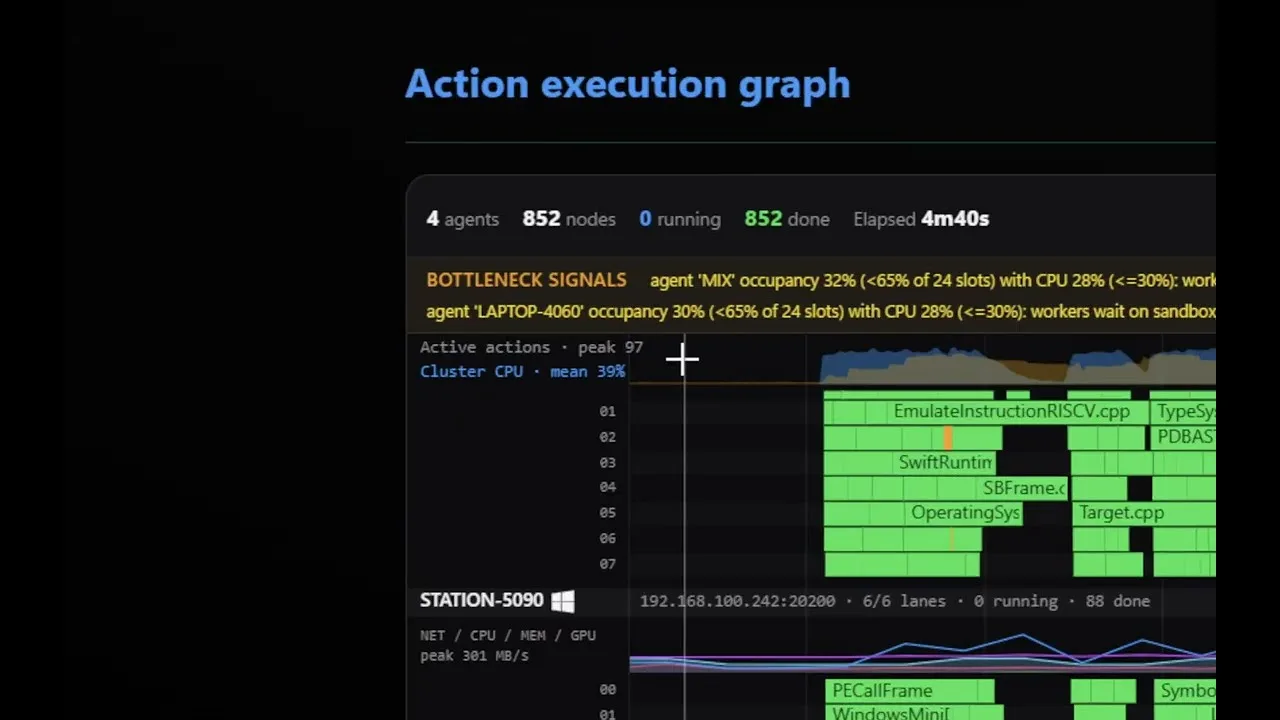
IrisBuild distributes eligible compilation tasks across connected machines. Ycode shows the fleet, active tasks and resource usage so you can understand the work behind each build.
- Distributed compilation for supported build workflows
- Per-machine CPU, memory and GPU telemetry
- Build timelines and Unreal Build Accelerator visibility
Real projects. Recorded workflows.
Different targets. A familiar workspace.
Debug iOS, Android and Windows apps simultaneously from one Windows workspace.
Platforms & devices
Game engines
Native code
Graphics & captures
LSP highlighting & completion
Write application code, scripts and shaders in one editor, with language-server-backed highlighting and completion for these additional languages.
- Rust
- C#
- Java
- Kotlin
- Python
- MetalSL
- Unreal Shader
- Unity ShaderLab
Language support describes editing features. Build, run and debugging support depend on the project's toolchain and target.
Windows is both the desktop host and a debugging target; iOS and Android are connected device targets. Ycode supports simultaneous debugging across all three. Setup and available features depend on the project, toolchain and target version. Download buttons list only published installers.
A few things to know.
Practical answers before you get started.
What is Ycode?
Ycode is a native Windows IDE and game-development workspace from Mix Studio. It builds, deploys, debugs and profiles Unreal, Unity and native games on iOS, Android and Windows from one Windows PC, with simultaneous debugging across all three, LLDB, Metal and Vulkan frame capture, real-device control, AI agents and IrisBuild distributed compilation. The editor provides LSP highlighting and completion for Rust, C#, Java, Kotlin, Python, MetalSL, Unreal Shader and Unity ShaderLab, with Unreal and Unity plugin integrations.
How are Ycode and IrisBuild related?
Ycode is the workspace you interact with. IrisBuild is the build engine that schedules eligible compilation tasks across machines. You can monitor its workers and tasks inside Ycode.
Do I need an account to download Ycode?
Yes. Register a Mix Studio account and sign in before downloading the installer. Available features and device or build-node limits depend on your plan; downloading an installer does not activate a paid subscription.
Bring your tools into one workspace.
Create a Mix Studio account or sign in to download Ycode. Compare plans for feature access and device or build-node limits.
Join Discord